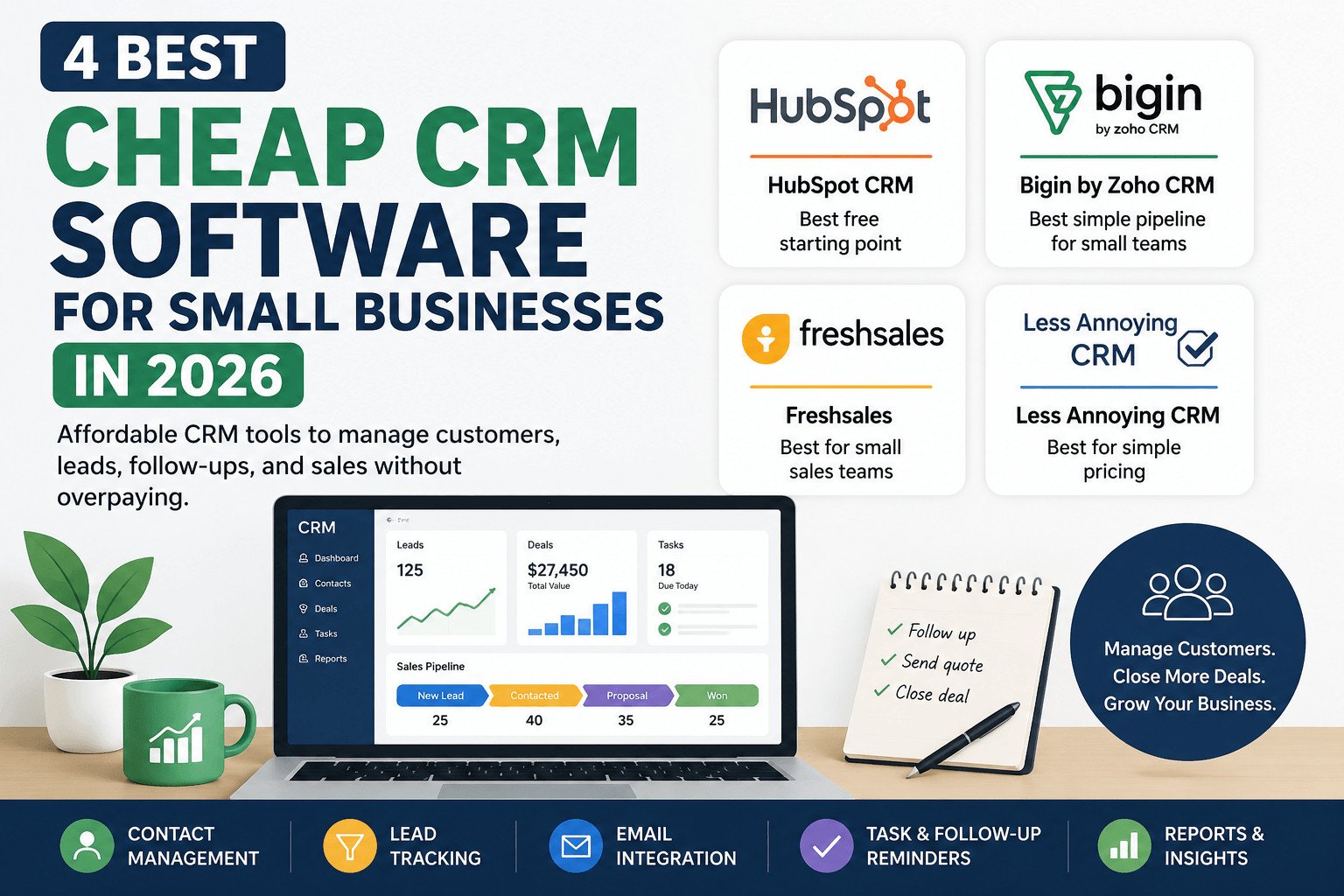
Finding cheap CRM software for small businesses is not just about picking the lowest monthly price. The right CRM should help you save customer details, track leads, follow up on time, and avoid paying for features your team will not use.
A cheap CRM can become expensive if the free plan is too limited, every extra user adds cost, or basic features sit behind upgrades. Before comparing tools, it helps to define what “cheap” should actually mean for a small business.
Table of Contents
What Counts as Cheap CRM Software in 2026?
Cheap CRM software is a low-cost tool that helps small businesses manage customer details, leads, follow-ups, and sales tasks without paying for enterprise-level software.
CRM stands for Customer Relationship Management. It is a system for managing interactions with current and potential customers. In plain English, a CRM keeps contacts, notes, deals, tasks, and sales activity in one place.
Without a CRM, many small businesses rely on spreadsheets, WhatsApp chats, email inboxes, notebooks, or memory. That can work at first. But once leads increase, it becomes easier to miss follow-ups, forget customer details, or lose track of open deals.
A cheap CRM should help your team answer simple questions quickly:
- Who needs a follow-up today?
- Which leads are waiting for a quote?
- Which customers have already paid?
- Which deals are close to closing?
The best affordable CRM is not always the one with the lowest starting price. It is the one your team can use every week without getting stuck, upgrading too early, or paying for features that do not help your daily work.
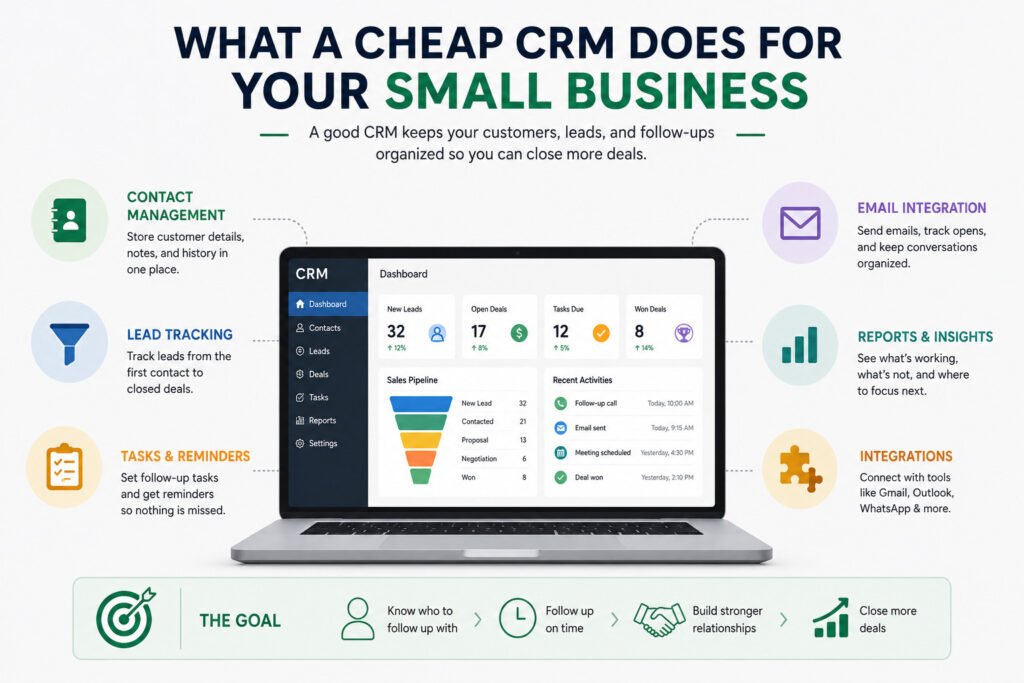
Once you know what a useful low-cost CRM should do, the next step is to compare tools by use case, not just by price.
Quick Comparison: Cheap CRM Tools by Use Case
Use this table as a quick starting point before reading the full details.
| CRM | Best for | Free plan? | Main thing to check |
|---|---|---|---|
| HubSpot CRM | Freelancers and new businesses | Yes | Paid upgrades after free limits |
| Bigin by Zoho CRM | Small teams needing a simple sales pipeline | Yes | Free plan user and record limits |
| Freshsales | Small sales teams tracking active leads | Yes | Per-user pricing and paid features |
| Less Annoying CRM | Simple pricing and fewer upgrade surprises | Free trial | No free forever plan |
The best cheap CRM software for small businesses depends on how your team handles contacts, leads, follow-ups, and customer notes. A freelancer may only need a simple contact list and reminders. A small sales team may need lead tracking, deal stages, email tools, and reports.
A pipeline is a visual list of sales stages, such as new lead, contacted, quote sent, and closed. It helps your team see where each deal stands and what needs to happen next.
For example, a small web design agency with 25 active leads may have one lead waiting for a quote, another waiting for a follow-up call, and another ready to pay. A clear pipeline shows the next action for each lead instead of forcing the team to search through messages and spreadsheets.
The table gives you a fast overview, but it does not tell the full cost story. That is where many small businesses get caught.
Hidden CRM Costs to Check Before You Sign Up
Many CRM comparison pages focus on the starting price. That can be misleading because the real cost often appears after your team starts using the tool.
First, check user pricing. Some CRMs charge per user, so every new team member increases the monthly bill. A plan that looks cheap for one person may cost much more when five people need access.
Next, check feature limits. Some low-cost plans include contact storage but limit automation, reports, email tracking, custom pipelines, or integrations. Automation means the CRM can handle small repeated tasks, such as creating a follow-up reminder after two days without contact.
Also check usage limits. Look at contact limits, record limits, email limits, file storage, and connected apps. An integration is a connection between your CRM and another tool, such as Gmail, Outlook, WhatsApp, or accounting software.
For example, a small real estate agency may choose a CRM because the starting price looks low. But after adding three agents, email tracking, and better reporting, the monthly bill may rise. That does not mean the CRM is bad. It means the business should check the real cost before moving all customer data into the system.
Before choosing a cheap CRM, check user limits, contact limits, email features, automation, reports, integrations, and the first paid plan that includes the tools your team needs.
With those possible costs in mind, the next section looks at how each CRM fits real small-business needs.
Best Cheap CRM Software for Small Businesses Compared
Below are four affordable CRM options that make sense for freelancers, startups, service businesses, and small sales teams.
HubSpot CRM: Best Free Starting Point
HubSpot CRM is a good option if you want to start with a free CRM before paying. HubSpot says its free tools include up to 1,000 contacts and have no time limit. HubSpot also says its free CRM tools can connect with Gmail, G Suite, and many versions of Outlook.
This makes HubSpot useful for freelancers, new businesses, and small teams that want to test CRM software before choosing a paid plan. You can use it to store contacts, track leads, and keep basic sales activity organized.
The main thing to watch is upgrade cost. HubSpot’s free tools include lighter versions of selected paid tools, so advanced features may require a paid plan later. If your team grows quickly or needs stronger automation and reporting, check the paid plans carefully before building your whole sales process around the free version.
Best for: freelancers, startups, and new businesses that want a free start.
Not best for: teams that want simple long-term pricing with fewer upgrade decisions.
Bigin by Zoho CRM: Best Simple Pipeline for Small Teams
Bigin by Zoho CRM is a practical choice for small teams that want a simple sales pipeline. Bigin’s free plan allows one user and up to 500 records. A record is a saved item in the CRM, such as a contact, company, deal, activity, product, or note.
Bigin works well when your team wants to move away from spreadsheets and track leads in a more organized way. It is built for small businesses, so it may feel easier than a larger CRM with too many settings.
The main limit is the free plan. One user may be enough for a solo business owner, but it may not work if two or three people handle customers. If more than one person needs access, check the paid plans and user pricing before signing up.
Best for: small teams that want a simple sales pipeline.
Not best for: teams that need several users on a free plan.
Read this Comparison for Hobspot and Zoho: https://sagaaro.com/hubspot-vs-zoho-crm-a-simple-guide/
Freshsales: Best for Small Sales Teams Tracking Active Leads
Freshsales can fit small sales teams that need more sales activity tracking. Freshworks says the Freshsales free plan is available for up to three users and includes tools such as Kanban views, email templates, built-in phone, and live chat.
This can work well if your team handles many leads and needs to see what each salesperson is doing. It can help with lead tracking, sales activity history, email templates, and simple reports.
The main risk is paying for features your team does not use. Freshsales has paid plans charged per user, and more advanced features may sit in higher plans. Before signing up, compare the free plan with the first paid plan and ask whether your team really needs those extra tools.
Best for: small sales teams that track many leads and sales activities.
Not best for: businesses that only need basic contact notes and reminders.
Less Annoying CRM: Best for Simple Pricing
Less Annoying CRM is a strong option if you want simple pricing. It lists one price of $15 per user per month, plus applicable tax, after a 30-day free trial. It also says there are no pricing tiers, no contracts, and no features locked behind upgrades.
This makes it easier for small businesses to estimate the monthly bill. The plan includes contacts and companies, pipelines, task management, email logging, mobile access, user permissions, custom fields, and support.
The main drawback is that it does not offer a free forever plan. If you need a CRM that stays free long term, this may not be the best fit. But if you prefer clear pricing and fewer upgrade surprises, it is worth considering.
Best for: small businesses that want simple pricing and fewer confusing plan choices.
Not best for: businesses that need a free forever CRM.
These options cover different needs, but the right choice still depends on your team size, sales process, and daily follow-up habits.
How to Choose a CRM Without Overpaying
Start with what your business needs this month, not what looks impressive on a pricing page.
First, count your users. If you work alone, a free CRM or low-cost plan may be enough. If three or more people need access, check the price per user.
Next, map your sales process. If you only need customer names, phone numbers, notes, and reminders, choose a simple CRM. If you manage many leads, choose a CRM with a pipeline.
Then check how you follow up. Do you need email tracking? Do you need automatic reminders? Do you need reports? Do you need to connect Gmail, Outlook, WhatsApp, or accounting software?
For example, a small cleaning company may only need customer names, phone numbers, appointment notes, and follow-up reminders. Paying extra for advanced dashboards may waste money if nobody on the team uses them.
Before choosing cheap CRM software for small businesses, ask these questions:
- How many users do we need?
- How many contacts or records will we store?
- Do we need email tracking?
- Do we need follow-up reminders?
- Do we need reports?
- Which missing feature would force us to upgrade?
- Can we export our data if we switch later?
Pick the lowest plan that covers your real daily work. Upgrade only when a missing feature clearly saves time, prevents missed follow-ups, or helps your team close more sales.
If you still feel unsure, it helps to match the CRM to your business type instead of comparing every feature side by side.
Read more:
Best CRM Picks by Business Type
Different businesses need different CRM setups. Use this section if you want a faster decision.
Best for Freelancers
HubSpot CRM is a good first choice if you want a free way to save contacts, track conversations, and manage simple follow-ups. It works best if you are testing CRM software and do not want to pay right away.
Best for Startups
Bigin by Zoho CRM can work well for startups that want a simple pipeline without a long setup. It is especially useful when your team needs to track leads, deals, and customer notes in one place.
Best for Small Sales Teams
Freshsales is a better fit if your team handles active leads every day and needs to track sales activity. It is more useful for teams that sell often, not businesses that only need a contact list.
Best for Local Service Businesses
Less Annoying CRM can fit local service businesses that want simple pricing and a system that is easy to understand. A repair company, cleaning business, or small agency can use it to save customer details, add job notes, and set follow-up tasks.
The best pick is the CRM your team will update after every call, quote, meeting, and follow-up.
Now the choice becomes simpler: start with the tool that fits your current work, then upgrade only when your business has a clear reason.
Final Recommendation: Which Cheap CRM Should You Try First?
Start with your team size and daily work.
Choose HubSpot CRM if you want a free starting point and your business is still testing how a CRM fits into your workflow.
Choose Bigin by Zoho CRM if you want a simple sales pipeline and your team needs a clear way to track leads.
Choose Freshsales if you have a small sales team that handles active leads and needs sales activity tracking.
Choose Less Annoying CRM if you want simple pricing and do not want to compare many plan tiers.
A small digital marketing agency with four staff members may only need shared contact records, lead stages, email history, and reminders. In that case, the best CRM is not the one with the longest feature list. It is the one the team can open every day, update quickly, and trust when a customer needs attention.
Before you sign up, compare the free plan, the lowest paid plan, and the first plan that includes the features your team will use every week.
A few common questions usually come up before small businesses make that final choice.
According to Slack : https://slack.com/blog/crm/best-crm-for-small-business
FAQ: Cheap CRM Software for Small Businesses
What is the best cheap CRM software for small businesses?
The best cheap CRM software for small businesses depends on your needs. HubSpot CRM is useful for a free start, Bigin by Zoho CRM is good for simple pipelines, Freshsales fits small sales teams, and Less Annoying CRM is strong for simple pricing.
Is free CRM software enough for a small business?
Free CRM software can be enough if you only need contacts, notes, basic lead tracking, and reminders. It may become limiting when you need more users, more contacts, automation, reports, or email tracking.
Which cheap CRM is best for freelancers?
HubSpot CRM can be a good option for freelancers who want to start free. A freelancer usually needs contact records, client notes, reminders, and basic deal tracking more than advanced sales tools.
Which CRM is best for a small sales team?
Freshsales can work well for small sales teams that need lead tracking, email templates, sales activity history, and simple reports. Bigin by Zoho CRM can also work if the team wants a simpler pipeline.
What hidden CRM costs should small businesses check?
Small businesses should check per-user pricing, contact or record limits, email limits, automation, reports, integrations, file storage, and upgrade costs. The cheapest starting price is not always the cheapest long-term option.
Should I choose a free CRM or a paid CRM plan?
Start with a free CRM if it covers your daily work. Move to a paid plan only when a missing feature clearly saves time, reduces missed follow-ups, or helps your team manage more leads.