Small business choosing between free vs paid accounting software is not only about saving money. A free tool may be enough if you send a few invoices and track simple expenses. But if you manage tax records, payroll, stock, or regular payments, paid software can save time and reduce mistakes.
For many small businesses, the right choice depends on how complex the business has become. A freelancer with a few clients does not need the same system as an online store, a growing agency, or a business with employees.
In simple terms: free accounting software works best for simple records. Paid accounting software works better when you need stronger reports, fewer manual tasks, payroll, inventory, or accountant access.
Table of Contents
Free vs Paid Accounting Software: Quick Answer
Free vs paid accounting software comes down to business complexity.
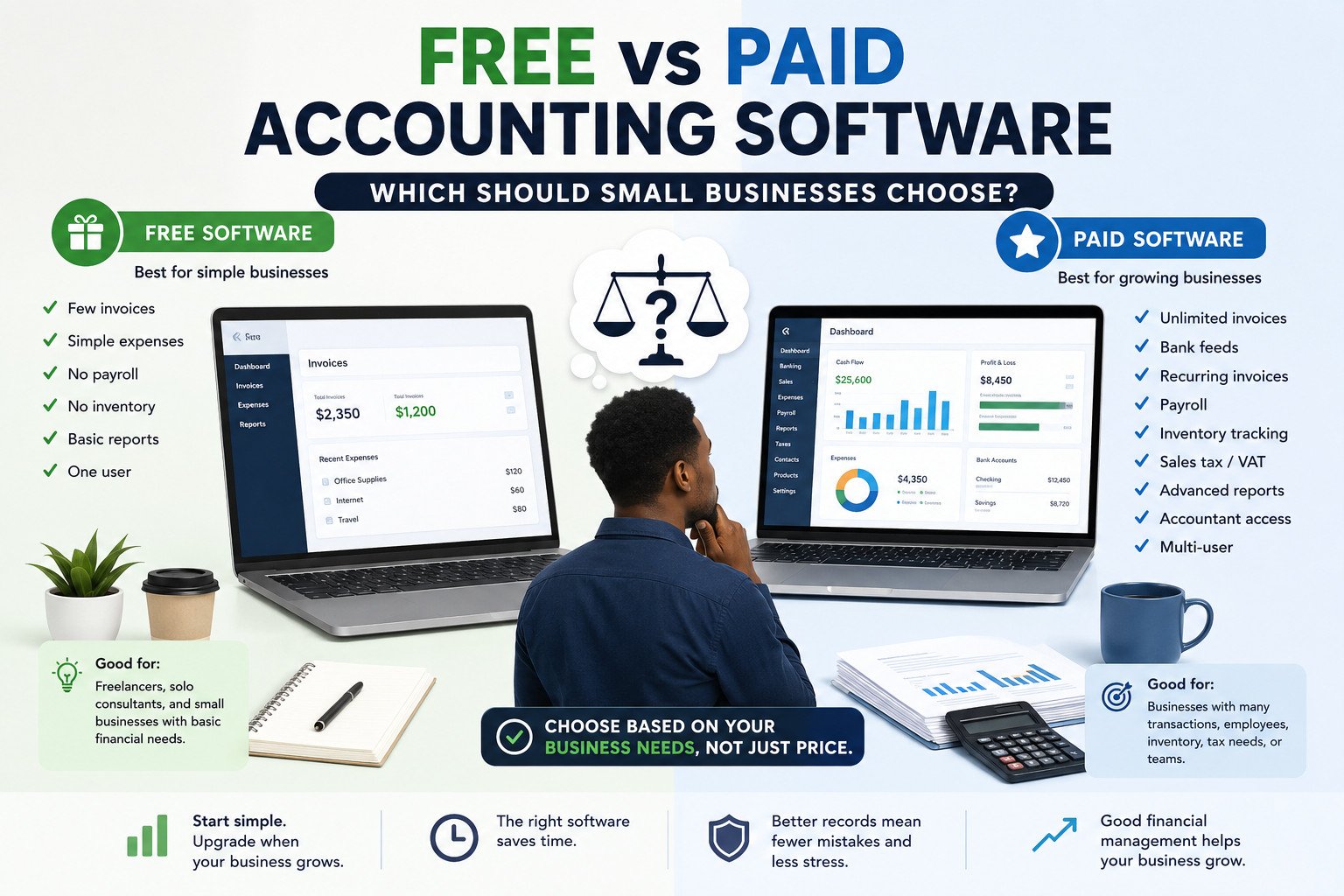
Free software is usually enough for freelancers and small businesses with few invoices, simple expenses, and no payroll or inventory. Paid software is better when you need bank feeds, tax reports, recurring invoices, payroll, inventory tracking, or accountant access.
Choose free accounting software if your business is still small, your records are simple, and you can manage most tasks manually.
Choose paid accounting software if your business has many transactions, regular clients, tax responsibilities, employees, or stock to manage.
That answer gives the basic direction. The next step is understanding what actually changes when you move from a free tool to a paid one.
Free vs Paid Accounting Software: Key Differences for Small Businesses
The difference between free and paid accounting tools is not only the price. The bigger difference is how much time, control, and automation they give you.
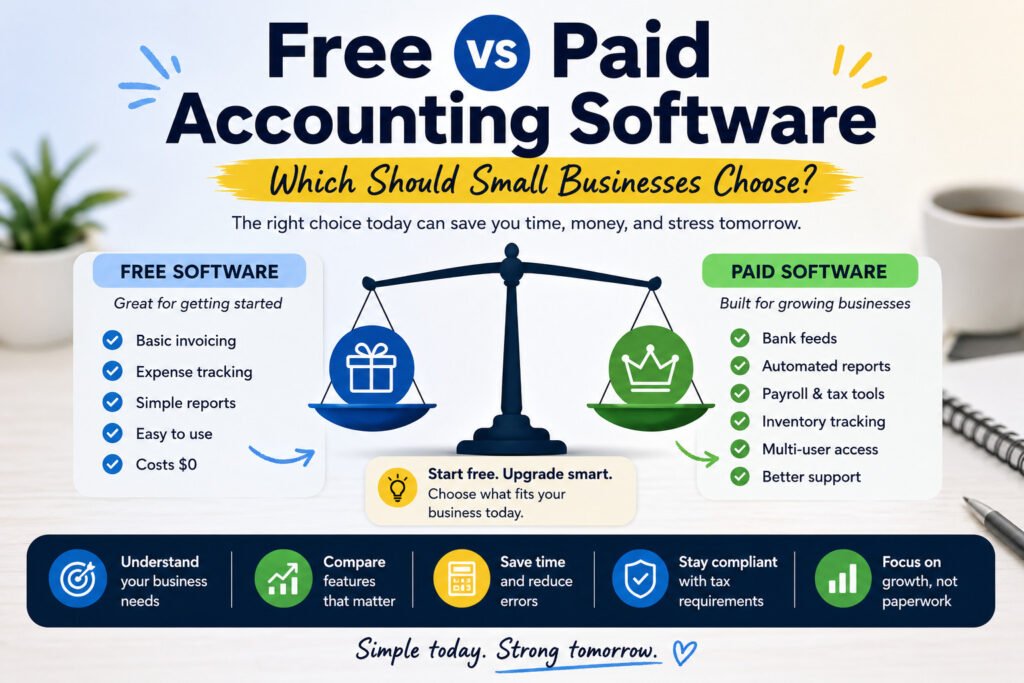
Free accounting tools usually cover basic tasks such as invoices, simple expense tracking, and basic financial records. This can be enough for a small business owner who only needs to see what came in, what went out, and which invoices are still unpaid.
Paid accounting software usually adds more advanced features. These may include bank feeds, recurring invoices, sales tax or VAT tracking, payroll software, inventory tracking, user permissions, accountant access, and detailed financial reports.
| Business need | Free software may work | Paid software may be better |
|---|---|---|
| Few invoices | Yes | Not always needed |
| Many monthly invoices | Limited | Better for reminders and recurring invoices |
| Simple expenses | Yes | Not always needed |
| Many expenses | Limited | Better with bank feeds and reports |
| Payroll | Usually limited | Usually better |
| Inventory | Usually limited | Better for stock tracking |
| Accountant access | May be limited | Better for multiple users |
| Tax reports | Basic only | Better for detailed records |
The table makes the comparison easier, but features alone are not enough. A tool only matters if it fits the way your business handles money every day.
What Should Small Businesses Look for in Accounting Software?
Before choosing bookkeeping software, start with your actual business needs. A tool may look attractive because it is free, popular, or full of features. That does not mean it fits the way your business works.
Good small business accounting software should help you answer basic financial questions:
- How much money came in this month?
- How much did you spend?
- Which invoices are unpaid?
- Are you making a profit?
- Do you have enough cash to pay bills, suppliers, or staff?
For most small businesses, the most useful features are invoicing software, expense tracking, cash flow tracking, financial reports, tax preparation, and accountant access.
If your business is simple, you may not need advanced features. But if you already spend too much time checking records manually, the cheapest option may not be the best option.
This is where free tools can be useful. They are often enough at the beginning, especially when the business has only a few moving parts.
When Free Accounting Software Is Enough
Free accounting software can be enough when your business finances are still simple.
This is often true for freelancers, solo consultants, small service providers, and early-stage startups. If you send only a few invoices each month, track basic expenses, and do not manage payroll or inventory, a free tool may cover your needs.
Free accounting software may work well if:
- You send only a few invoices each month.
- You have simple expenses.
- You do not manage payroll.
- You do not track inventory.
- You can check your records manually.
- You do not need advanced reports.
- You work alone or with a very small team.
For example, a freelance designer with five regular clients may only need simple invoicing, expense records, and a basic profit and loss report. In that case, free accounting tools may be enough.
Free software can also help new business owners understand basic small business bookkeeping before paying for a monthly subscription.
But the same free tool that works well in the early stage can become limiting as the business grows. The change is not always obvious at first.
When Free Accounting Software Starts Costing More Than It Saves
Free software can save money at the beginning. But it can also become costly if it creates extra manual work, causes errors, or limits your view of the business.
The main free accounting software limitations usually appear when transactions increase. You may start spending too much time entering data, checking invoices, updating spreadsheets, or preparing reports manually.
Free accounting software may start costing more than it saves when:
- You forget to follow up unpaid invoices.
- You manually enter too many transactions.
- You cannot see clear cash flow reports.
- You need better tax records.
- You collect sales tax or VAT.
- You need accountant access.
- You manage stock or products.
- You need payroll.
- You need more than one user.
- You need support when something goes wrong.
At this stage, the real cost is not only the software price. It is the time lost, payments missed, records weakened, and mistakes that could have been avoided.
Once those problems start showing up, paid software becomes less about having extra features and more about keeping the business organized.
When Paid Accounting Software Is Worth the Cost
Paid accounting software is worth the cost when it saves more time and reduces more risk than it costs.
For growing businesses, paid accounting tools can make financial management easier. They can connect to bank accounts, import transactions, create recurring invoices, track tax records, manage payroll, and generate detailed financial reports.
Paid accounting software benefits often include:
- Automated bank feeds.
- Recurring invoices.
- Better expense tracking.
- Sales tax or VAT reports.
- Payroll software.
- Inventory tracking.
- User permissions.
- Accountant access.
- Cloud accounting software access from different devices.
- Better customer support.
- More detailed profit and loss reports.
Paid software is especially useful when a business owner no longer wants to manage every financial task manually.
For example, an online store may need inventory tracking, payment records, sales tax reports, and cash flow tracking. A free tool may not handle these needs well. Paid accounting software can help the owner see what is selling, what stock is left, what tax is due, and whether the business is profitable.
The right choice also depends on the type of business. A freelancer, an online store, and a service company may all need accounting software, but not for the same reasons.
Free vs Paid Accounting Software: Real Examples by Business Type
Different businesses need different levels of accounting support. These examples show how the choice can change depending on the business model.
Freelancer
A freelancer with a few clients and simple expenses may start with free accounting software. Basic invoicing, expense tracking, and a simple profit and loss report may be enough.
But a freelancer with recurring clients, contractors, international payments, or more complex tax preparation may benefit from paid accounting software.
Online Store
An online store usually needs more than basic bookkeeping software. It may need inventory tracking, sales tax or VAT records, payment integrations, cash flow tracking, and detailed reports.
In this case, paid accounting software is often the safer choice because product-based businesses usually have more moving parts.
Service Business
A small service business may begin with free accounting tools if it has only a few clients. But once the business has many invoices, regular payments, staff, or accountant involvement, paid software becomes more useful.
For example, a cleaning company, consulting agency, or repair business may need recurring invoices, payroll, tax records, and user permissions as it grows.
These examples make the choice more practical, but they still point back to the same question: what work do you actually need the software to handle?
How to Choose Between Free and Paid Accounting Software
To choose between free and paid accounting software, do not start with the price. Start with the work you need the software to do.
Ask yourself:
- How many invoices do I send each month?
- How many expenses do I track?
- Do I need bank feeds?
- Do I need payroll?
- Do I sell products or track inventory?
- Do I collect sales tax or VAT?
- Do I need accountant access?
- Do I need detailed financial reports?
- How much time do I spend managing records manually?
If your answers are simple, free accounting software may be enough.
If your answers show growing complexity, paid accounting software may be the better option.
A useful rule is this: use free software when your records are simple. Upgrade when manual work takes too much time or when mistakes become costly.
After that, the decision becomes easier. Match the software to your current business stage, then leave room for the next stage of growth.
Compare Accounting Software Based on Your Business Stage
The best accounting software for small business owners depends on the stage of the business.
A new freelancer may only need basic invoicing software and expense tracking. A startup may need better reporting and tax records. A growing business may need payroll software, inventory tracking, accountant access, and cloud accounting software with multiple users.
Think about it this way:
If you are just starting, choose a simple tool that helps you stay organized.
If your business is growing, choose software that reduces manual work.
If your finances are becoming more complex, choose software that gives you better reports, stronger controls, and easier accountant access.
Before choosing a tool, compare accounting software based on your business stage, not only the monthly price. The right software should help you save time, avoid errors, and understand your finances clearly.
Some common questions come up when business owners compare free and paid tools. Here are the most practical answers.
According to pcmag: https://www.pcmag.com/news/choosing-between-free-and-paid-small-business-accounting-software
FAQ: Free vs Paid Accounting Software
1. Is free accounting software enough for a small business?
Yes, free accounting software can be enough if the business has few invoices, simple expenses, no payroll, and no inventory. It may not be enough once transactions, tax needs, or reporting needs increase.
2. When should I switch from free to paid accounting software?
You should switch when you spend too much time entering data, miss unpaid invoices, need payroll, track stock, collect sales tax or VAT, or need better reports.
3. What are the main limits of free accounting software?
Common free accounting software limitations include fewer reports, limited users, no payroll, no inventory tracking, fewer integrations, and limited customer support.
4. Is paid accounting software always better?
No. Paid accounting software is only worth it if the features save time, reduce mistakes, or help you manage more complex finances.
5. What accounting software features matter most for small businesses?
The most useful features are invoicing, expense tracking, bank feeds, reports, tax records, recurring invoices, accountant access, payroll, and inventory tracking.
6. Should freelancers use free or paid accounting software?
Freelancers with a few clients and simple expenses may start with free software. Freelancers with recurring clients, contractors, tax complexity, or high transaction volume may need paid software.
Final Thoughts
Choosing between free vs paid accounting software depends on your business size, financial complexity, and how much time you spend on bookkeeping.
Free accounting software is a good starting point for simple businesses. Paid accounting software becomes more useful when you need automation, payroll, inventory tracking, tax reports, accountant access, and stronger financial reports.
The best option is not always the cheapest one. It is the one that helps you manage your business clearly, save time, and avoid costly mistakes.