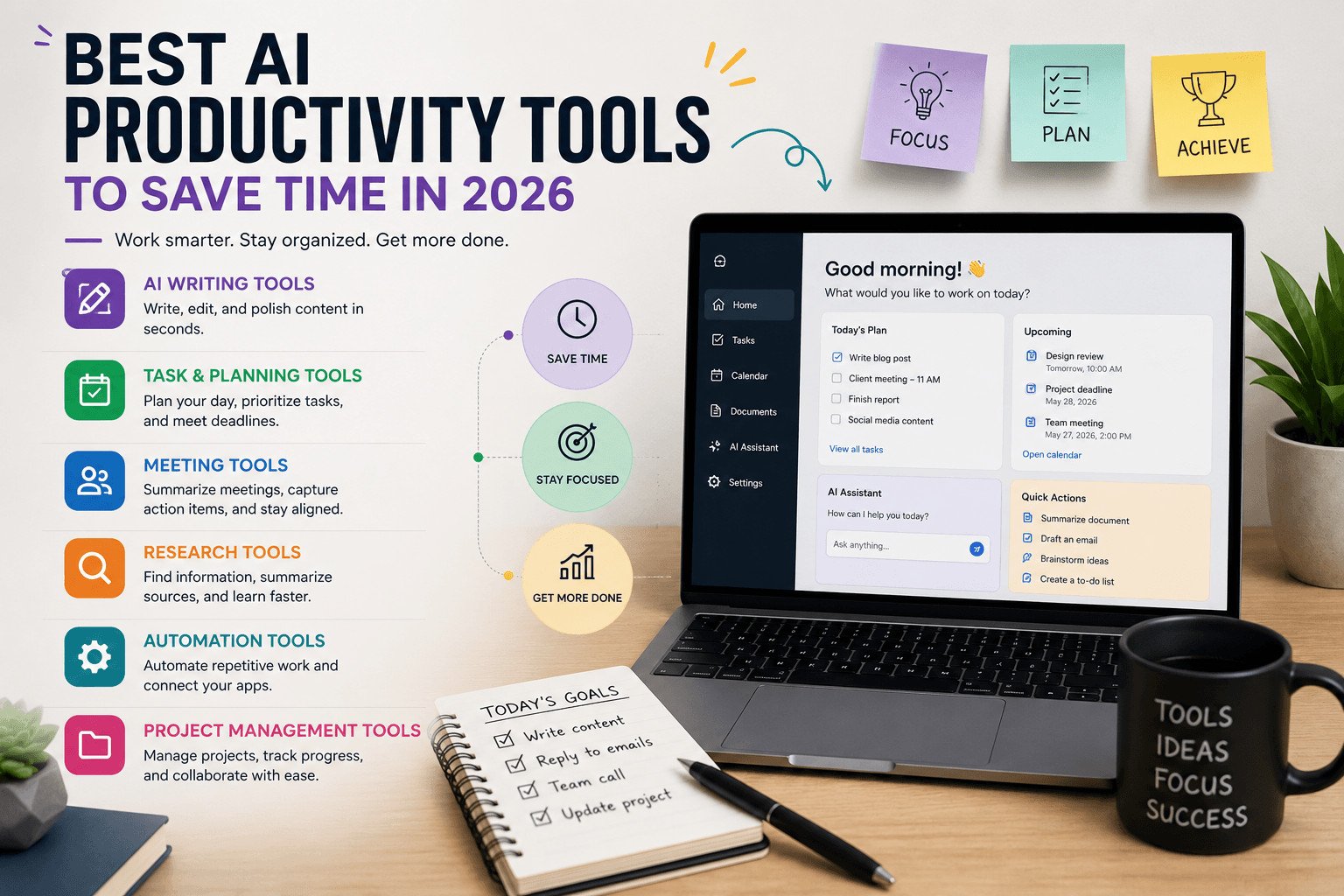
The best AI productivity tools are not always the most popular ones. They are the tools that help you finish real tasks faster, such as writing emails, planning your day, summarizing meetings, managing projects, researching information, or handling repeated admin work.
Beginners do not need 30 apps. They need a simple way to choose the right AI tool for the task that slows them down most.
This guide explains the main types of AI productivity tools, who they are best for, when to avoid them, and how to test them before paying.
Table of Contents
What Are AI Productivity Tools?
AI productivity tools are apps that use artificial intelligence to help with everyday work.
They can help you draft text, summarize documents, plan tasks, take meeting notes, research topics, manage projects, or set up simple automations. The tool does not replace your thinking. It helps with parts of the work that are repetitive, slow, or hard to start.
For example, an AI writing tool can turn rough notes into a draft. An AI meeting note tool can create a summary after a call. An AI automation tool can move information from one app to another when something happens, such as a form submission.
The key is to use AI where it removes real work. If a tool creates more setup, more tabs, or more confusion, it is not saving time.
Once you understand that, the next step is easier: match the tool to the task.
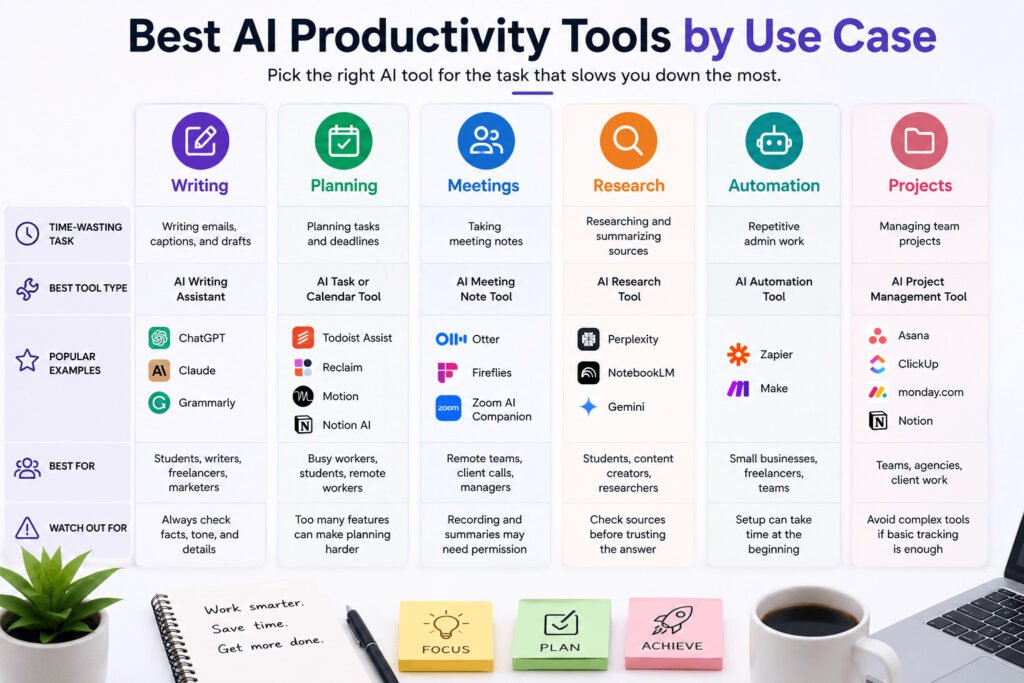
Best AI Productivity Tools by Use Case
The right tool depends on the task. A student, freelancer, small business owner, and remote team may all need different AI tools.
| Time-wasting task | Best tool type | Popular examples | Best for | Watch out for |
|---|---|---|---|---|
| Writing emails, captions, and drafts | AI writing assistant | ChatGPT, Claude, Grammarly | Students, writers, freelancers, marketers | Always check facts, tone, and details |
| Planning tasks and deadlines | AI task or calendar tool | Todoist Assist, Reclaim, Motion, Notion AI | Busy workers, students, remote workers | Too many features can make planning harder |
| Taking meeting notes | AI meeting note tool | Otter, Fireflies, Zoom AI Companion | Remote teams, client calls, managers | Recording and summaries may need permission |
| Researching and summarizing sources | AI research tool | Perplexity, NotebookLM, Gemini | Students, content creators, researchers | Check sources before trusting the answer |
| Repeated admin work | AI automation tool | Zapier, Make | Small businesses, freelancers, teams | Setup can take time at the beginning |
| Managing team projects | AI project management tool | Asana, ClickUp, monday.com, Notion | Teams, agencies, client work | Avoid complex tools if basic tracking is enough |
Use this table as a starting point, not a final ranking. The best choice depends on your work, budget, and how often you will use the tool.
A table helps you compare options quickly, but it does not choose for you. To make the right choice, start with the problem you actually have.
How to Choose the Right AI Productivity Tool First
Many beginners start with the tool instead of the problem.
They see a popular AI app and think they should try it. But if you do not know what task is slowing you down, the tool can become another thing to manage.
More signups. More tabs. More settings. No real time saved.
Start with one question:
Where do I lose the most time each week?
Maybe it is writing emails. Maybe it is planning content, taking meeting notes, tracking tasks, replying to customers, or finding details inside long documents.
Different AI tools help with different jobs. Some tools help with writing and editing. Some help with meeting notes. Others help with tasks, research, automation, or team projects.
The business impact is simple. When repeated work takes less time, you can finish client work faster, reply to customers sooner, publish more often, or reduce missed deadlines.
For example, imagine a freelance designer who spends one hour a day replying to client emails. A project management tool may not fix that problem. An AI email assistant may be a better fit because it can help draft replies, summarize long client messages, and suggest next steps.
The tool still needs checking. It may miss context, use the wrong tone, or misunderstand a client request. But it can make the first draft easier to create.
Before choosing a tool, write down your top three time-wasting tasks. Start with the first one.
For many people, that first task is writing. Emails, captions, reports, proposals, and updates can take more time than expected.
Best AI Writing Tools for Drafts, Emails, and Editing
Writing is one of the easiest places to start with AI.
If you create emails, blog posts, reports, captions, product descriptions, or client updates, an AI writing tool can help you move faster.
AI writing tools can help with first drafts, unclear sentences, long paragraphs, grammar checks, tone changes, headline ideas, summaries, and email replies.
This does not mean AI should write everything for you.
Use it to remove the slow starting point. Many people waste time staring at a blank page. AI gives you a rough draft. You still need to check the facts, fix the tone, and add details from your own work.
Best for: students, freelancers, bloggers, marketers, small business owners, and content creators.
Avoid this if: you spend more time correcting the AI draft than writing the message yourself.
For example, a content creator may need one blog post and three social captions each week. Without AI, they may spend hours planning, drafting, and editing. With an AI writing tool, they can create an outline, draft the first version, and turn key points into captions.
The creator still checks facts, adds examples, and edits the final wording before publishing.
Beginner-friendly options include ChatGPT for general drafting, Claude for long text and summaries, and Grammarly for grammar, rewriting, and tone support.
Use clear instructions such as:
- “Make this shorter.”
- “Make this easier to understand.”
- “Write this in a professional tone.”
AI can help you write faster, but you should always review the final version before publishing or sending it.
Writing is only one part of daily productivity. Even if your content is faster, your work can still feel messy if tasks, deadlines, and reminders are scattered.
Best AI Tools for Tasks, Calendars, and Daily Planning
AI planning tools help when your work is scattered across notes, messages, reminders, and unfinished tasks.
A task management tool helps you list what needs to be done. A calendar tool helps you decide when to do it. When AI is added, some tools can suggest priorities, turn notes into tasks, group similar work, or help plan your day.
People often lose time because they keep deciding what to do next.
Students may need help organizing assignments, exam dates, and study sessions. Remote workers may need to track meetings, deadlines, and follow-ups. Small business owners may need to remember customer requests, invoices, product updates, and marketing tasks.
Best for: people who forget deadlines, jump between tasks, or keep their work in too many places.
Avoid this if: you already ignore your task list. AI will not help if you never check the plan.
For example, imagine a small business owner who keeps tasks in WhatsApp, email, paper notes, and memory. They may remember an order but forget to follow up. They may plan a social post but miss the date.
An AI task tool can help turn scattered notes into a clearer list:
- Reply to customer
- Prepare invoice
- Post product update
- Check delivery
- Review tomorrow’s orders
The tool does not do the work. It helps you see the work in one place and choose what to handle first.
Beginners should choose tools they can open every day. A simple task list with reminders is better than a complex app they stop using after one week.
Once your tasks are clearer, look at the small delays that still keep returning. These are often meetings, research, emails, and repeated admin steps.
Best AI Meeting, Research, and Automation Tools
Some of the best AI productivity tools do not look exciting at first. They save time by removing small delays that repeat every week.
These include AI meeting note tools, email assistants, research tools, document summarizers, and automation tools.
Automation means setting up a tool to handle a repeated action. For example, an automation can send a reminder, move details between apps, or create a task when someone fills out a form.
Not every time problem comes from big projects. Many people lose time reading long emails, taking meeting notes, searching for key points, rewriting the same reply, or copying details from one app to another.
Small savings matter when the task happens often.
AI meeting note tools
Meeting note tools can help teams remember decisions and next steps. They can create summaries, transcripts, or action-item lists, depending on the tool and settings.
Best for: remote teams, client calls, interviews, and recurring meetings.
Important note: always check permission and privacy settings before recording or summarizing meetings. Some workplaces and countries have rules about recording conversations.
AI research tools
Research tools help when you need to understand long documents, compare sources, or pull key points from a topic.
They are useful for students, writers, researchers, and content creators who need to work through information faster. But they should not replace checking the original sources.
Best for: students, writers, researchers, and content creators.
Avoid this if: you need legal, medical, or financial advice without checking trusted human or official sources.
AI automation tools
Automation tools help with repeated admin work.
For example, a form submission could create a task, send a notification, and add a row to a spreadsheet.
Best for: freelancers, small businesses, and teams that repeat the same admin steps every week.
Avoid this if: you do not understand the task manually yet. Automating a messy process can create more mistakes.
These tools help with small repeated work. But when several people are involved, the problem is usually bigger than one task. That is where project management tools become useful.
Best AI Project Management Tools for Teams and Client Work
AI project management tools help when work involves several people, deadlines, files, comments, and updates.
A project management tool helps you track tasks, owners, due dates, files, comments, and project updates in one place. When AI is added, some tools can summarize progress, create task lists from notes, suggest next steps, or make updates easier to read.
Teams waste time when ownership is unclear. If no one knows who owns a task, work slows down. If client feedback stays buried in email or chat, mistakes become more likely. If deadlines are unclear, people may work on the wrong task first.
For client work, this can hurt trust. One missed update or forgotten request can make the client doubt the process.
For example, imagine a small content team creating blog posts for a client. One person writes. One edits. One creates images. One publishes. The client sends feedback by email.
Without a clear system, comments get missed and deadlines slip.
Some AI project management tools can help turn client feedback into tasks such as:
- Update introduction
- Replace image
- Check SEO title
- Schedule final review
Best for: small teams, agencies, freelancers with clients, remote teams, and content teams.
Avoid this if: your team only needs a simple to-do list. A powerful tool no one uses is worse than a basic tool people actually open.
The tool does not replace communication. The team still needs to agree on priorities, check the work, and confirm what the client wants.
At this point, you may know which type of tool fits your work. The next mistake to avoid is paying too early.
How to Test an AI Productivity Tool Before Paying
Do not start with the price page.
A tool may look cheap, but it becomes expensive if you do not use it. Before paying, connect the tool to one clear task.
Ask:
What task do I want this tool to help me finish faster?
That task could be writing emails, planning content, taking meeting notes, summarizing documents, tracking deadlines, or managing client work.
If you cannot name the task, do not pay yet.
Use this simple test:
- Pick one task you repeat every week.
- Choose one AI tool that fits that task.
- Use it on real work for one week.
- Check whether it saves time without lowering quality.
- Keep it only if the result is worth the cost.
For example, a freelancer who wants an AI writing tool can test it for one week on client emails, proposals, and social captions.
If it saves time and the final writing still sounds clear, it may be worth paying for. If the freelancer spends more time correcting the output than writing from scratch, the tool is a poor fit.
Also check integrations. An integration means the tool connects with another app you already use, such as Gmail, Google Docs, Slack, Notion, Trello, or a calendar. Not every tool connects with every app, so check before you pay.
The best choice is not the tool with the longest feature list. It is the tool that solves a real problem, fits your daily work, and saves enough time to justify the cost.
After testing one tool, you can build a simple setup instead of collecting apps you barely use.
Best Simple AI Productivity Setup for Beginners
A simple AI productivity setup is better than a long list of tools you barely open.
Most beginners can start with three tool types:
- One writing tool
- One planning tool
- One support tool for meetings, research, email, or automation
This covers the main places where people lose time. Writing tools help with drafts and editing. Planning tools help you see tasks and deadlines. Support tools help with repeated work that slows down your day.
Do not use AI everywhere. Use it where work already takes too long.
For example, a small business owner may use an AI writing tool for product descriptions and customer replies. They may use an AI task tool to track orders, marketing tasks, and follow-ups. Then they may add an AI email assistant to summarize long customer messages and draft replies.
That is enough to create a useful setup without making work more complicated.
A student may choose one tool for summarizing notes, one for planning study sessions, and one writing assistant for essays and emails.
A freelancer may need a writing tool, a project tool, and a meeting notes tool.
The best setup depends on your work, not on what everyone else is using.
Start with one tool. Use it for one real task for one week. Keep it if it saves time. Remove it if it adds confusion.
Before wrapping up, here are quick answers to the questions beginners usually ask before choosing an AI productivity tool.
Read More: https://sagaaro.com/what-are-productivity-tools-for-beginners/
FAQs About the Best AI Productivity Tools
What are the best AI productivity tools for beginners?
The best AI productivity tools for beginners are simple tools that help with one clear task. Good starting points include an AI writing assistant, an AI task planner, an AI meeting note tool, or an AI research tool.
Which AI productivity tool saves the most time?
The tool that saves the most time depends on your work. If you write often, an AI writing tool may help most. If you attend many meetings, an AI meeting note tool may save more time. If you repeat admin tasks, an automation tool may be more useful.
Are free AI productivity tools good enough?
Free AI productivity tools can be good enough for basic tasks like drafting, rewriting, summarizing, and planning. Paid plans may be useful when you need more usage, team features, stronger integrations, or advanced controls.
What AI tools help with writing and editing?
AI writing tools can help with drafts, emails, captions, grammar, summaries, and tone changes. Popular examples include ChatGPT, Claude, Grammarly, and Gemini.
What AI tools help with meetings and notes?
AI meeting note tools can help create transcripts, summaries, and action-item lists. Popular examples include Otter, Fireflies, and Zoom AI Companion. Always check permission and privacy rules before recording or summarizing meetings.
How many AI productivity tools do I really need?
Most beginners only need one to three tools at first. Start with one writing tool, one planning tool, and one support tool for meetings, research, or automation. Add more only when you have a clear reason.
Are AI productivity tools safe for business work?
AI productivity tools can be useful for business work, but you should be careful with private data. Before pasting client emails, contracts, financial details, or personal information into any tool, check the tool’s privacy settings, data controls, and company rules.
Final Thoughts
The best AI productivity tools are the ones that help with work you already do.
Do not choose a tool because everyone is talking about it. Choose it because it helps you write faster, plan better, summarize meetings, research information, manage projects, or reduce repeated admin work.
Start small. Pick one task that wastes time every week. Test one tool on that task. Keep it only if it saves real time and still lets you produce good work.