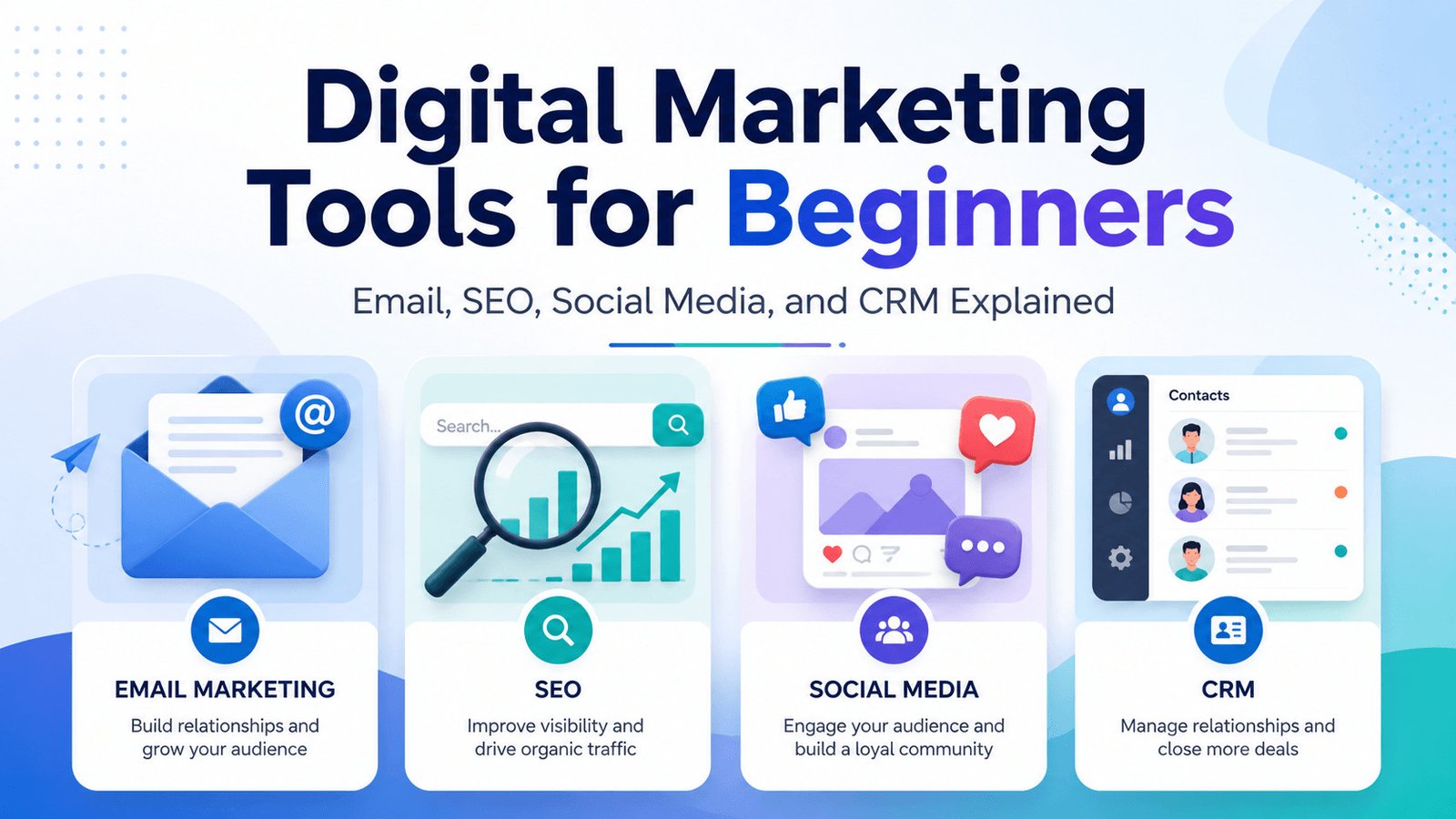
Choosing digital marketing tools for beginners can feel confusing. Email platforms, SEO software, social media schedulers, and CRM systems sometimes include similar features, but they solve different problems.
You may need help attracting website visitors, publishing content regularly, staying in contact with potential customers, or following up on enquiries.
This guide explains four common types of digital marketing tools, what each one does, and which tool your business should use first.
Table of Contents
What Are Digital Marketing Tools?
Digital marketing tools are software products that help businesses attract people online, publish content, communicate with an audience, measure results, and manage potential customers.
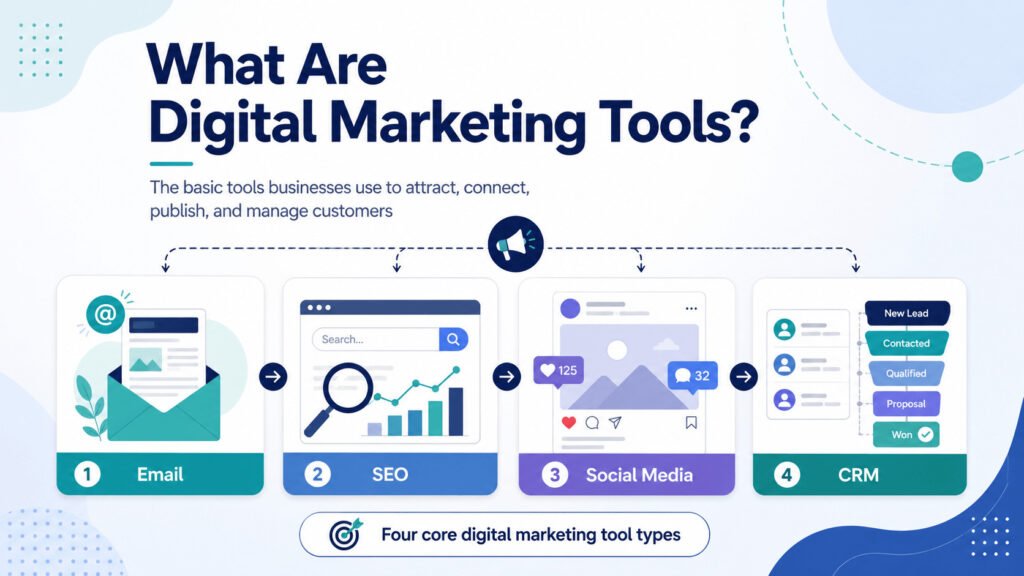
This guide covers four main categories:
- Email marketing tools help you contact subscribers and customers.
- SEO tools provide information about searches and website issues.
- Social media tools help you plan, publish, and review posts.
- CRM tools record leads, conversations, and follow-up tasks.
Each category supports a different business task.
| Tool type | Main job | Use it when | Simple starting point |
|---|---|---|---|
| Email marketing | Contact subscribers and customers | You want visitors or customers to return | A signup form and welcome email |
| SEO | Understand searches and website issues | You want people to discover your website | Google Search Console and customer research |
| Social media | Plan posts and manage responses | Posting regularly takes too much time | A platform’s built-in scheduler |
| CRM | Track leads and follow-ups | Enquiries are getting lost or forgotten | A spreadsheet or basic CRM |
Consider a small cleaning company.
The owner might use SEO information to decide which local services to explain on the website. Social media posts show recent work. Email messages remind past customers about seasonal services. A CRM records quote requests and shows who still needs a reply.
These tools can work together, but a new business rarely needs all four at once.
To understand which one deserves your attention first, it helps to look at how each tool works in a real business. Email marketing is a useful place to begin because it focuses on people who already know your business.
Read fore more info: https://sagaaro.com/types-of-marketing-tools-explained-a-beginners-guide/
Email Marketing Tools Help You Build and Contact an Audience
Email marketing tools help businesses communicate with people who have already shown interest.
These contacts may include newsletter subscribers, existing customers, website visitors who downloaded a guide, or people who requested more information.
Instead of writing every message separately, you can store contacts in a list and send a relevant email to a selected group.
A contact list may include a person’s email address, name, interests, or purchase history. Only collect information you genuinely need, and follow the privacy and marketing rules that apply to your audience.
Most email platforms support campaigns.
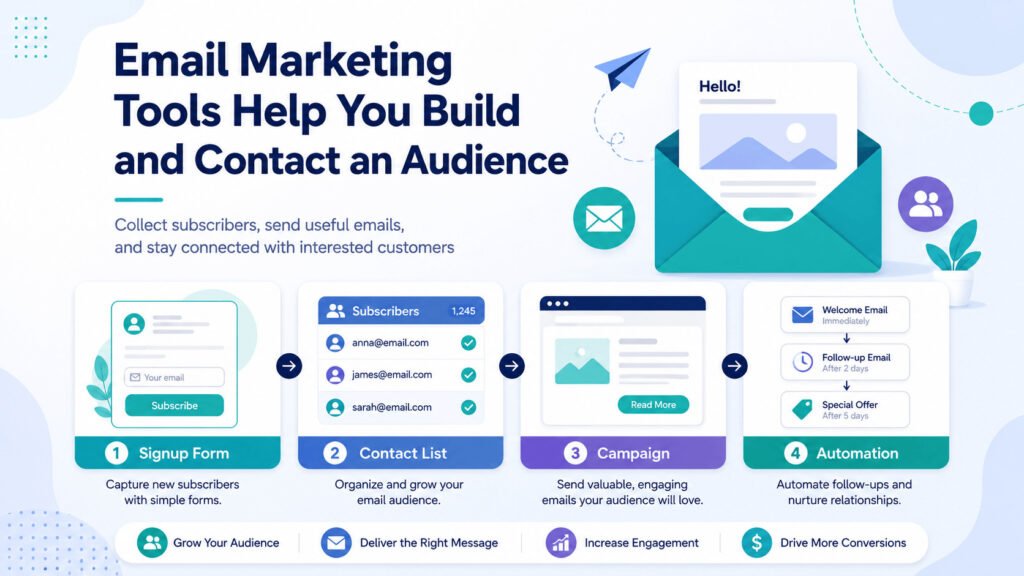
An email campaign may be one message or a planned series sent for a specific purpose. A business might use one to:
- Share a new article
- Announce a service
- Promote an event
- Send a customer reminder
- Deliver a useful guide
Many platforms also support email automation. This means the software sends a message after a chosen action, condition, or delay.
Imagine a freelance graphic designer who offers a free logo checklist.
A visitor completes a signup form and receives the checklist automatically. Three days later, the email tool sends a follow-up message explaining the designer’s logo service.
Without an email platform, the designer would need to record every signup and send each message by hand.
Email tools can also report tracked opens and link clicks. However, an open does not prove that someone read the message. Privacy settings, blocked images, automatic image loading, and automated systems can affect the data.
Clicks, replies, bookings, and purchases usually provide a clearer sign that an email encouraged action.
Beginners rarely need a complicated email system. A practical starting setup may include:
- One signup form
- One contact list
- A reusable template
- A welcome email
- One follow-up message
Use an email marketing tool when people want to hear from your business again.
Email helps you stay connected once someone knows your business. But before that can happen, people need a way to discover you. That is the job SEO tools are designed to support.
SEO Tools Help People Discover Your Website
SEO tools provide information that can help improve how a website appears in search results.
SEO stands for search engine optimization. It includes actions that help search engines access, understand, and display website content.
Different SEO tools handle different tasks.
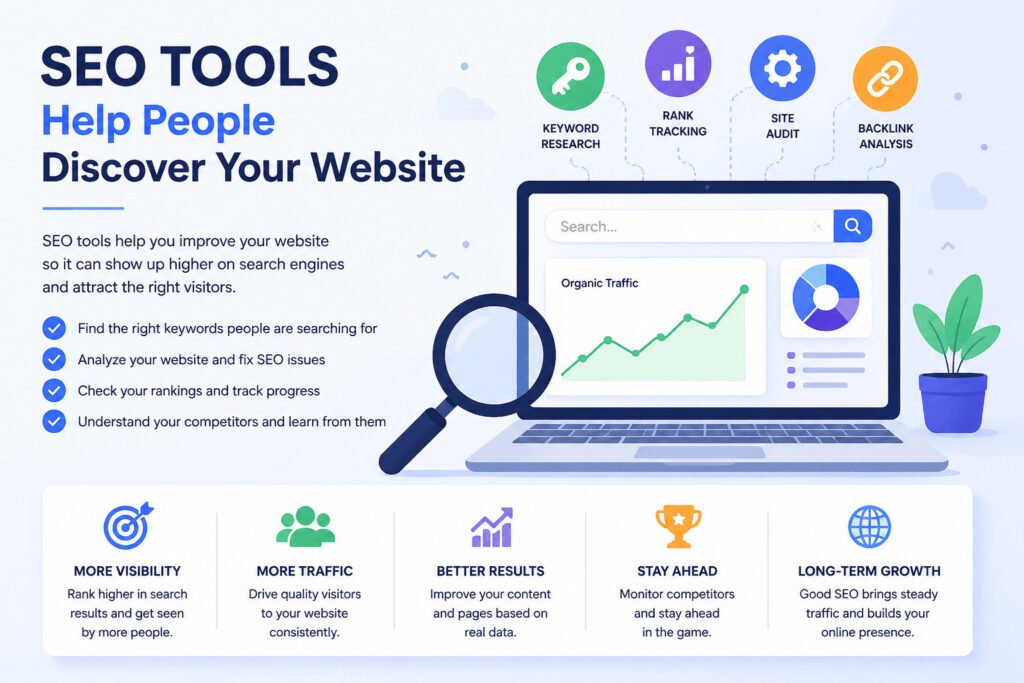
Keyword research tools
Keyword research tools suggest words and phrases related to a topic.
A keyword is a search term someone enters into Google or another search engine. Some tools estimate how often people search for a phrase and how difficult it may be to rank for it.
These figures are estimates, not exact numbers.
Site-audit tools
Site-audit tools scan a website and flag possible technical issues, such as:
- Broken links
- Missing page titles
- Slow-loading pages
- Duplicate content
- Pages search engines cannot access
- Images without descriptive text
Treat these warnings as suggestions, not automatic instructions. Some issues may affect visitors or search visibility, while others may not need immediate attention.
Rank-tracking tools
Rank trackers monitor where selected pages appear for chosen search terms.
They can help a business see whether search visibility improves or declines. Results may vary by location, device, language, and search history, so treat ranking reports as a guide rather than a fixed position.
Imagine a bakery that sells custom birthday cakes.
Keyword data may suggest that people search for phrases such as “custom birthday cakes in Manchester” or “birthday cake delivery.”
The bakery can combine that information with questions customers already ask. It might then create a page explaining:
- Available flavours
- Cake sizes
- Prices
- Delivery areas
- Preparation time
- Ordering steps
This page answers practical customer questions while helping search engines understand what the bakery offers.
An SEO tool cannot guarantee a first-page Google ranking.
Search visibility depends on several factors, including content quality, competition, location, website performance, links, and changes to search systems.
Website owners can start with Google Search Console after verifying their site. It can show search queries, clicks, impressions, indexing issues, and page-performance information.
Google Keyword Planner can provide keyword ideas, but access may require completing Google Ads account and billing setup.
Beginners can also find content ideas by reviewing:
- Questions customers ask
- Google search suggestions
- Related searches
- Competitor topics
- Search Console queries
- Comments and support messages
Use an SEO tool when you need to understand what people search for or what may be limiting your website’s visibility.
Search can help people find your business when they already need something. Social media works differently. It helps your business stay visible before someone is ready to search, which creates a different set of publishing challenges.
Social Media Management Tools Help You Plan and Publish Content
Social media management tools help businesses prepare, schedule, publish, and review content.
Without them, a business owner may need to open each platform separately, upload the same image several times, rewrite captions, and remember when every post should appear.
A scheduling tool lets you prepare posts in advance and choose a publication date and time.
For example, a business owner could prepare five posts on Monday and schedule them across the week.
Many tools also include a content calendar.
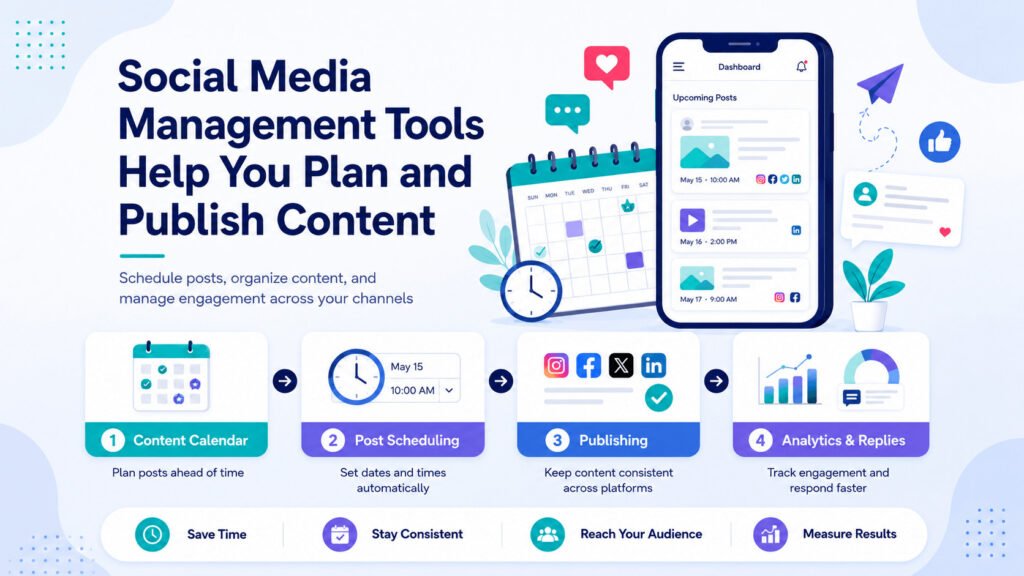
A content calendar shows planned posts, platforms, and publishing dates in one place. It can help you notice:
- Days with no planned content
- Repeated topics
- Unfinished posts
- Missing images
- Content waiting for approval
Consider a fitness coach who shares exercise tips, class times, and booking reminders.
Instead of creating a new post every morning, the coach prepares the week’s content in one session. The posts then publish on the selected days.
Depending on the product and connected platforms, a social media tool may also collect supported comments and messages in one inbox.
Features vary. Some tools support several social networks, while others work only with selected platforms or account types.
Social media reports may show:
- Reach
- Views
- Link clicks
- Comments
- Shares
- Follower growth
These numbers need context.
A post with many likes may produce no enquiries. Another post with less attention may send several people to a product page or booking form.
The right measurement depends on the purpose of the post:
- An educational post may be judged by saves or shares.
- A service post may be judged by enquiries.
- A product post may be judged by sales.
- A blog post may be judged by link clicks.
Beginners may not need paid social media software.
When you manage one account and post occasionally, the platform’s built-in scheduling features may be enough.
A separate tool becomes more useful when you:
- Publish frequently
- Manage several accounts
- Work with a team
- Need posts approved before publication
- Want reports from several platforms in one place
Use a social media tool when planning, publishing, or replying across accounts takes too much time.
Publishing consistently can create interest, but interest still needs to be handled. When someone sends a message, requests a quote, or asks for a call, another problem appears: keeping track of what happens next.
CRM Tools Help You Track Leads and Customer Follow-Ups
Getting attention does not automatically lead to a sale.
Someone may visit your website, send a social media message, complete a form, request a quote, or ask about your prices. You still need to record what happened and decide what to do next.
CRM stands for customer relationship management.
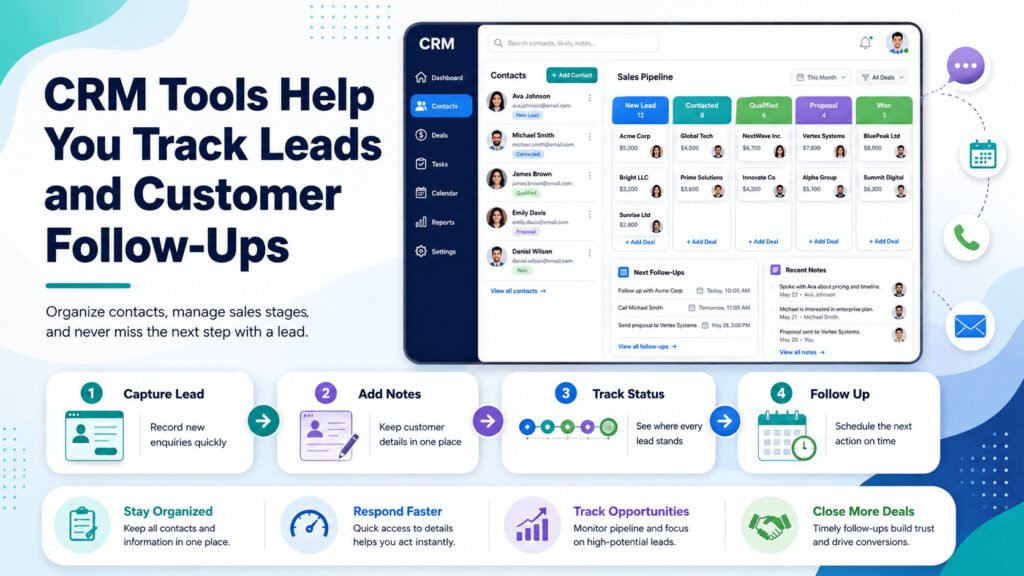
A CRM system stores information about potential and existing customers. It may record:
- Contact details
- Previous conversations
- Customer needs
- Quotes
- Notes
- Follow-up dates
- Sales stages
- Completed purchases
A lead is a person or organisation that may be suitable for your offer and has shown some interest.
Businesses define leads differently. One company may count someone as a lead after they complete a form. Another may only count people who request a quote.
Most CRM tools let users record an enquiry, add notes, assign a sales stage, and schedule a follow-up task.
A sales stage shows where a lead currently stands.
Common stages include:
- New enquiry
- Contacted
- Qualified
- Quote sent
- Won
- Lost
These stages are not fixed. A business can rename, add, or remove them to match its sales process.
Imagine a freelance web designer who receives five enquiries.
One person wants a website next month. Another asks about pricing. A third requests a call on Friday.
The designer can use a CRM to record each enquiry, note what was discussed, and set a reminder for the next action.
Without a clear system, customer information may end up scattered across email, WhatsApp, social media messages, and handwritten notes.
A CRM is not the same as an email marketing tool.
An email marketing tool mainly sends messages to groups of contacts. A CRM mainly records individual leads, conversations, sales stages, and follow-up tasks.
Some platforms include both functions.
A spreadsheet may still be enough when enquiries are limited. Consider a CRM when you begin:
- Missing replies
- Forgetting follow-ups
- Losing customer details
- Repeating the same questions
- Sharing sales work with another person
- Managing several active enquiries
Use a CRM when you need a clear record of who contacted you, what they need, and what should happen next.
Once the difference between the four tool types is clear, choosing becomes less about software features and more about where your business is losing time or opportunities.
Which Digital Marketing Tool Should a Beginner Use First?
The best digital marketing tools for beginners are not always the products with the most features.
Choose the tool that fixes the clearest problem in your business.
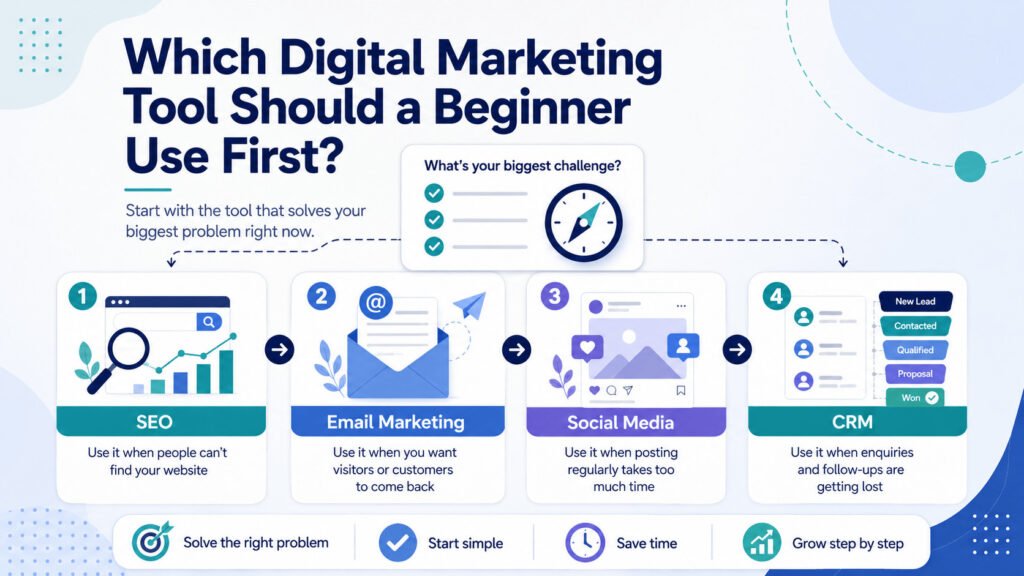
Start with an SEO tool when:
- People struggle to find your website
- You do not know what your audience searches for
- Important pages are not appearing in search results
- You need to identify website issues
Start with a social media tool when:
- Posting regularly takes too much time
- You manage several accounts
- Team members need to review content
- Messages and comments are difficult to track
Start with an email marketing tool when:
- Website visitors leave and do not return
- Customers want updates or useful content
- You repeatedly send the same messages
- You want to build a subscriber list
Start with a CRM when:
- Enquiries get lost inside inboxes or chats
- You forget to follow up
- More than one person handles potential customers
- You need to track quotes or sales stages
Consider a catering company that already attracts customers through Facebook.
The owner posts regularly and receives plenty of messages. The main problem is not creating more content. Quote requests are getting buried under unrelated conversations.
Another social media scheduler would not solve that problem.
The owner could use a structured spreadsheet or simple CRM to record:
- Customer name
- Event date
- Guest count
- Budget
- Quote amount
- Current status
- Follow-up deadline
When the business receives only a few enquiries, manual entry may be enough. If the volume grows, connecting a Facebook lead form to a CRM could reduce repeated data entry.
Use this four-step process before choosing software:
- Identify the task that is failing.
- Choose the tool category that handles that task.
- Test one simple product or free plan.
- Measure one practical result before adding another subscription.
That result might be fewer missed enquiries, more email signups, more consistent posting, or clearer search traffic data.
Do not buy several tools simply because a software list recommends them.
Before making a final choice, it helps to clear up a few questions beginners often have about cost, free plans, and whether every business needs the same setup.
Related article: https://www.salesforce.com/ap/marketing/digital-marketing/best-software/
Frequently Asked Questions About Digital Marketing Tools
What are digital marketing tools?
Digital marketing tools are software products that help businesses attract website visitors, publish content, communicate with audiences, measure results, and manage potential customers. Common types include email marketing platforms, SEO tools, social media management software, and CRM systems.
Which digital marketing tool should a beginner use first?
Start with the tool that solves your most urgent problem. Use an SEO tool when people cannot find your website, a social media scheduler when posting takes too much time, an email tool when visitors do not return, or a CRM when enquiries and follow-ups get lost.
Do small businesses need all four types of marketing tools?
Most small businesses do not need all four immediately. A new business may only need one social account, a basic website, and a spreadsheet. Add software when a specific task becomes difficult to manage manually.
What is the difference between an email marketing tool and a CRM?
An email marketing tool mainly sends newsletters and automatic messages to groups of contacts. A CRM stores information about individual leads and customers, including conversations, quotes, sales stages, and follow-up tasks. Some platforms include both functions.
Can free digital marketing tools be enough for beginners?
Free tools may be enough when you have a small contact list, limited website traffic, one social account, or only a few monthly enquiries. Check the limits before choosing a platform because free plans may restrict contacts, reports, automation, or team access.
Can digital marketing tools guarantee more customers?
No tool can guarantee more customers. Software can help you plan work, publish content, study results, and follow up more consistently. You still need a useful offer, clear communication, relevant content, and reliable customer service.
Choose the Problem Before the Software
The answers above point to one practical rule: start with the problem, not the product.
SEO tools help you understand searches and website issues. Social media tools help you plan and publish content. Email platforms help you stay in contact with an audience. CRM systems help you manage leads and follow-ups.
You do not need every category at once.
Identify the task causing the most missed opportunities or repeated work. Then compare beginner-friendly tools designed to solve that specific problem.
The right software should make an important task easier. It should not add another system your business does not need.