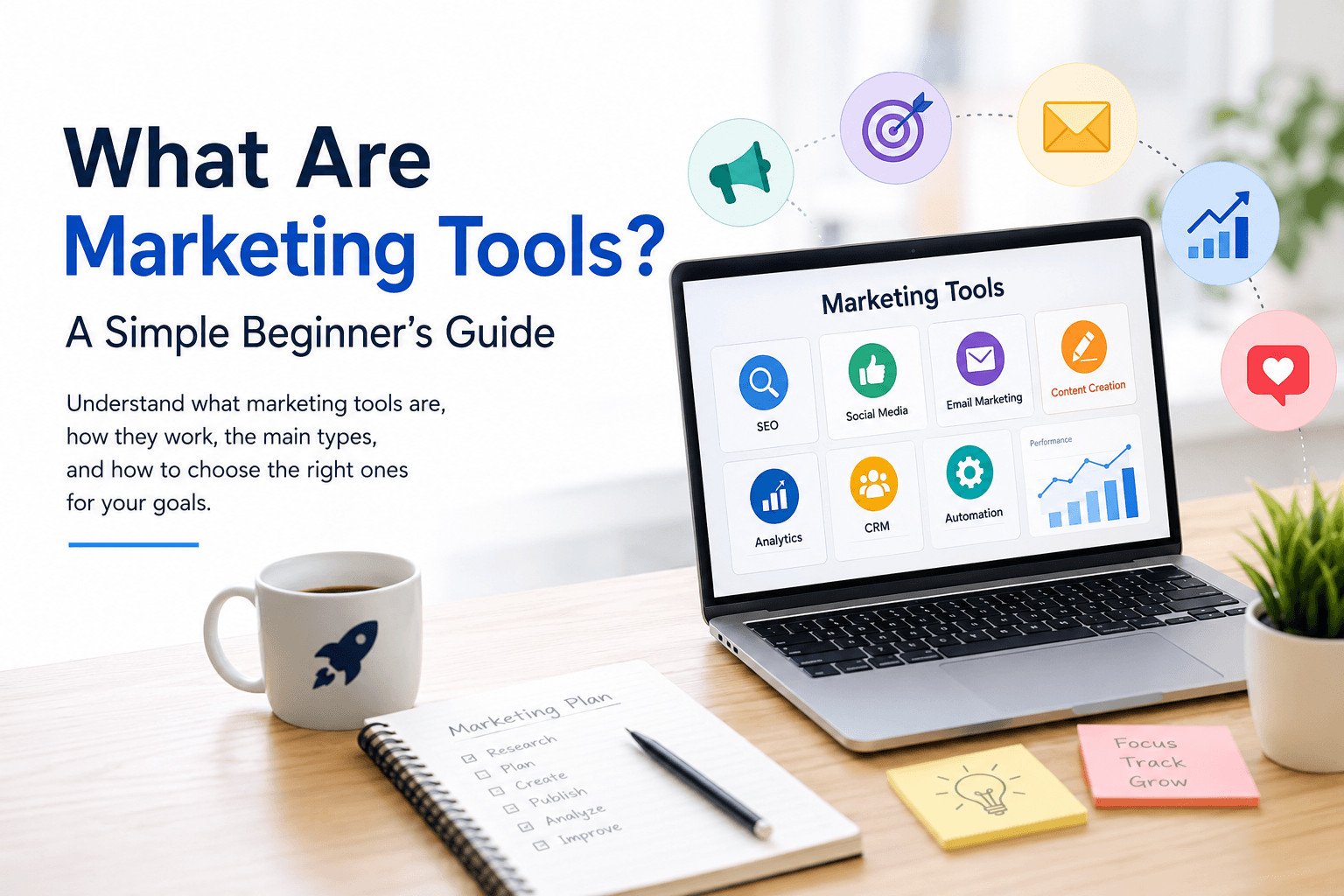
If you are new to digital marketing, you may be asking: what are marketing tools, and do you really need them?
Marketing tools are apps, platforms, or software that help you plan, create, publish, track, and manage marketing tasks. They can help with SEO, social media, email marketing, content creation, analytics, customer follow-ups, and campaign planning.
But you do not need every tool at once.
Many beginners sign up for tools because they look popular. Then they end up with more dashboards, passwords, and confusion than before. A better approach is to understand what each tool does, then choose one that solves a real problem in your work.
Before looking at tool types, it helps to start with the most important question: what job do you actually need the tool to do?
Table of Contents
Start With the Marketing Job, Not the Tool
Before choosing any marketing tool, ask one simple question:
What marketing task do I need help with right now?
A marketing tool should solve a real problem. Without a clear problem, you may pay for software that looks useful but does not help you publish content, follow up with leads, track results, or make better decisions.
For example, a small business owner may think they need a social media scheduling tool. After looking closer, the real issue may be that they do not know what to post each week. In that case, a simple content calendar may help more than a paid platform.
The same idea applies to other tasks.
If people cannot find your website, an SEO tool may help. SEO means making your pages easier for search engines to read and easier for the right people to find.
If you forget to follow up with leads, a CRM tool may help. CRM means customer relationship management. It helps you track names, contact details, messages, and follow-ups.
If you post content but do not know whether it works, an analytics tool may help. Analytics means checking numbers like website visits, button clicks, form sign-ups, and sales.
The right tool should help with a specific task. It might help you remember follow-ups, publish on schedule, find customer details faster, or see which content brings visitors.
The wrong tool gives you another system to manage.
Before signing up for anything, write down the task that feels slow, messy, or easy to forget. Then choose a tool that helps with that task.
Once you know the task, the next step is easier: understand what marketing tools can actually help you do.
What Are Marketing Tools Used For?
Marketing tools help you handle everyday marketing work more clearly.
A marketing tool can help you:
- Plan what to publish
- Create blog posts, emails, graphics, or videos
- Schedule content ahead of time
- Send messages to customers or subscribers
- Track website visits and clicks
- Manage leads and customer follow-ups
- See which content brings results
The idea is simple. One tool may help you design a social post. Another may help you send emails. Another may show how many people visited your website.
Imagine a small online shop that posts on Instagram, sends product updates by email, and runs a website. Without tools, the owner may write posts manually, remember publishing dates, send emails one by one, and guess whether people visit the site.
Marketing tools can help with each step.
A social media tool can help plan posts ahead of time. An email marketing tool can send one message to many subscribers. An analytics tool can show website visits, page views, and where visitors came from.
This matters because marketing is not only about creating content. It also includes posting regularly, following up with people, and checking what brings results.
Beginners do not need every tool. Start with the task that takes too long, gets forgotten, or becomes hard to track.
Now that the main purpose is clear, let’s break down the tool categories beginners are most likely to see.
Read this article: https://www.coursera.org/articles/marketing-tools
Main Types of Marketing Tools for Beginners
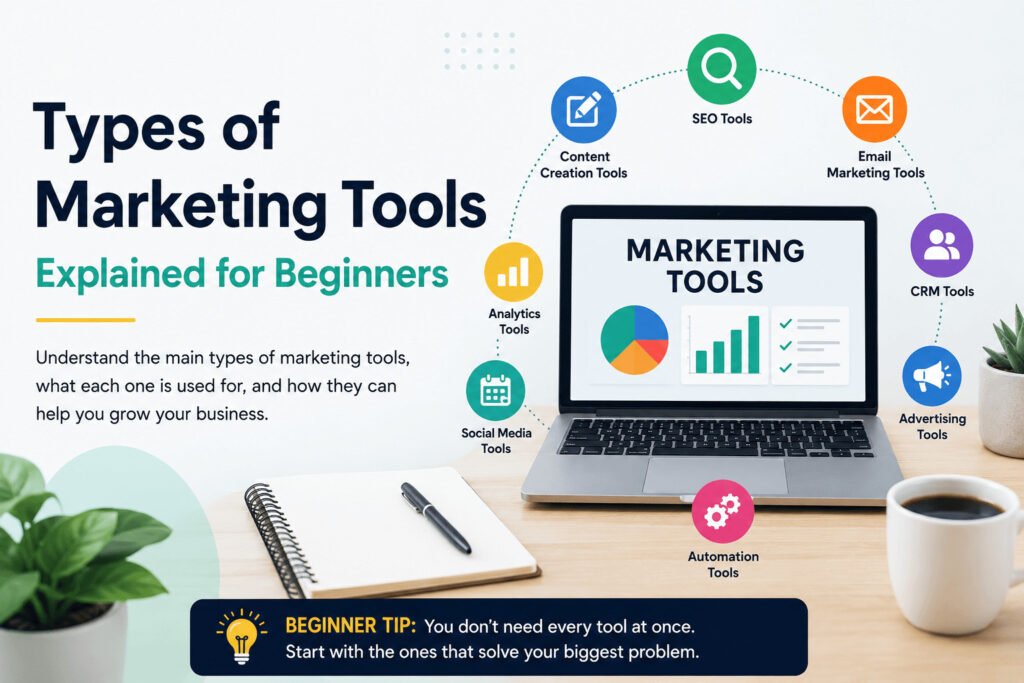
The main types of marketing tools are SEO tools, social media tools, email marketing tools, content creation tools, analytics tools, CRM tools, and marketing automation tools.
Each type helps with a different job.
SEO Tools
SEO tools help people find your website through search engines such as Google.
They can help you find keywords, check pages, and see what people may be searching for. For example, if you run a cleaning business, an SEO tool may help you find search terms like “house cleaning services near me” or “office cleaning prices.”
Social Media Marketing Tools
Social media marketing tools help you plan and manage posts on platforms such as Facebook, Instagram, LinkedIn, or TikTok.
Instead of posting manually every day, you can prepare posts ahead of time. This helps you stay consistent, especially when you are busy with customers, school, clients, or daily business work.
Email Marketing Tools
Email marketing tools help you send messages to people who joined your email list.
These messages can include newsletters, product updates, offers, useful tips, or reminders. Instead of sending emails one by one, you can send one message to many subscribers.
Content Creation Tools
Content creation tools help you create blog posts, graphics, short videos, captions, and other marketing materials.
This can include design tools, writing tools, video editing tools, and content calendars. These tools are useful when you need to publish regularly but do not have a large team.
Analytics Tools
Analytics tools show what happens after you publish.
They can show website visits, clicks, traffic sources, popular pages, and form submissions. Email platforms can also show email opens and clicks.
This helps you see what people respond to instead of guessing.
CRM Tools
CRM tools help you manage leads and customers.
They can store contact details, past conversations, follow-up notes, and customer status. For freelancers and small businesses, this can stop leads from getting lost.
Marketing Automation Tools
Marketing automation tools help with repeated tasks.
For example, they can send a welcome email when someone joins your list, remind you to follow up with a lead, or move a contact into a new group after they take an action.
Beginners do not always need automation at the start. It becomes useful when repeated tasks begin taking too much time.
These categories are easier to understand when you connect them to real work, not just names.
More info: https://sagaaro.com/types-of-marketing-tools-explained-a-beginners-guide/
Examples of Marketing Tools in Real Business Tasks
Beginners often understand marketing tools better when they connect them to everyday tasks.
Here is a simple way to think about it:
| If you need to… | Use this type of marketing tool |
|---|---|
| Get found on Google | SEO tool |
| Plan posts for the week | Content calendar |
| Post consistently on social media | Social media scheduling tool |
| Send updates to customers | Email marketing tool |
| Create graphics or short videos | Content creation tool |
| Track website visitors | Analytics tool |
| Manage leads and follow-ups | CRM tool |
| Save time on repeated tasks | Marketing automation tool |
For example, a freelance graphic designer may use a design tool to create posts, a scheduling tool to publish them, an email tool to contact past clients, and a CRM to remember who needs a reply.
A small bakery may use an SEO tool to find cake-related search terms, a content calendar to plan weekly posts, and an analytics tool to see which pages bring visitors.
A student building a personal brand may only need a content calendar, a design tool, and basic analytics at first.
The point is not to collect tools. The point is to match each tool to a real task.
One of those tasks deserves extra attention because many beginners ignore it until they have already wasted time: tracking results.
Why Beginners Should Not Skip Analytics Tools
Many beginners start with tools for posting, designing, or sending emails. They often skip analytics.
That can cost time.
Analytics means checking what people do after they see your marketing. This can include website visits, clicks, form sign-ups, sales, or other actions that matter to your business.
At first, analytics may sound technical. In practice, it helps you stop guessing.
Without analytics, you may spend hours writing posts, publishing videos, or sending emails without knowing what works. You may keep posting on a platform that brings no visitors. You may keep writing about topics nobody searches for.
Picture a small bakery that publishes weekly blog posts and Instagram updates. The owner feels busy, but orders do not increase.
An analytics tool may show that most website visitors come from one blog post about birthday cakes, while Instagram sends little traffic.
That changes the next action.
Instead of creating random posts, the bakery can write more content about cakes, improve the birthday cake page, and add clearer order buttons.
Beginners do not need to track every number. Start with four questions:
- How many people visited the website?
- Where did they come from?
- Which page or post got the most attention?
- Did anyone click, sign up, contact you, or buy?
Once you know the answers, you can spend more time on work that brings results and less time repeating work that does not.
Tracking results is useful, but it does not mean you should start buying tools quickly. The next challenge is choosing carefully.
How to Choose Your First Marketing Tools Without Overbuying
Do not start with a long software list. Start with the task that slows you down this week.
Ask:
What is the one marketing task I can no longer manage well by hand?
If you forget to follow up with leads, try a CRM tool. If you post at random times, try a scheduling tool. If you write content but get no traffic, try a basic SEO or analytics tool.
Many beginners buy tools for problems they do not have yet. A tool with many features can look useful, but it may also give you more settings, reports, and alerts than you need.
Start smaller.
Choose a tool that solves one clear problem, is easy to set up, and fits your budget. A free plan may be enough while you are still testing how you publish, follow up, and track results.
For example, a freelance web designer may think they need a full marketing platform. The real problem may be simpler: they forget to reply to people who ask for prices. A basic CRM or organized spreadsheet may solve that first.
Before paying for any tool, ask:
- Can I understand the dashboard without training?
- Does it help with a task I do every week?
- Will it save time or reduce missed follow-ups?
- Can I afford it if I keep using it for several months?
- Does it solve a current problem, not a future problem?
If the answer is no, wait.
A marketing tool should make work easier to manage. Pick one, use it consistently, and add another only when your work becomes hard to track by hand.
With that rule in mind, your first setup does not need to be complicated. It only needs to cover the work you do most often.
A Simple Beginner Marketing Tool Setup
A beginner setup does not need many tools. In most cases, you need a few that help you plan, publish, track, and follow up.
The right setup depends on your weekly work.
For a New Website Owner
Start with an SEO tool, an analytics tool, and a content planning tool.
The SEO tool helps you find what people may be searching for. The analytics tool shows whether people visit your pages. The planning tool helps you track ideas, publishing dates, and updates.
For a Freelancer
Start with a simple CRM or spreadsheet, an email tool, and a design tool.
The CRM or spreadsheet helps you track leads. The email tool helps you send updates or follow-ups. The design tool helps you create posts, portfolio graphics, or simple client materials.
For a Small Local Business
Start with a social media scheduling tool, an email marketing tool, and an analytics tool.
This can help you post regularly, stay in touch with customers, and see which pages bring visitors.
For a Content Creator
Start with a content calendar, a design or video editing tool, and basic analytics.
This helps you plan content, create posts faster, and see which topics get attention.
For a Small Team
Start with a task management tool, a shared content calendar, and a simple reporting tool.
This helps the team know what needs to be created, who is responsible, and what results came from the work.
A useful beginner setup should help you answer:
- What will we publish?
- When will we publish it?
- Who needs a follow-up?
- What results are we getting?
When you can quickly see what to publish, who to contact, and what brought results, your tools are doing useful work.
After your first setup works, you can add more tools later. The key is to add them for a clear reason.
Build Your Marketing Tool Stack One Problem at a Time
A marketing tool stack is the small group of tools you use together.
For a beginner, that may be one tool for planning content, one for sending emails, and one for checking results.
Problems start when people add too many tools too early. They create accounts, connect platforms, test features, and spend more time managing software than doing marketing work.
- Add tools only when a clear problem appears.
- If you forget ideas, use a planning tool.
- If you miss follow-ups, use a CRM tool.
- If you post inconsistently, use a scheduling tool.
- If you do not know what works, use an analytics tool.
- Only keep a tool if you use it often and it helps with a real task.
For example, a new online fitness coach may start with a content calendar and a simple analytics tool. After a few months, they may notice that questions from email and social media are getting lost. That is the right time to add a CRM or contact tracker.
The coach is not adding software because it is popular. They are adding it because a real task has become hard to manage by hand.
Use the same rule for your own setup.
Start with the work you already do. Notice what is slow, messy, repeated, or easy to forget. Then choose one tool that fixes that problem.
Your tool stack can grow as your marketing grows. But it should grow because your work needs support, not because another platform has more features.
Next, choose one area to fix first: planning, publishing, follow-ups, or tracking. Then compare tools only inside that category.
FAQs About Marketing Tools
What are marketing tools in simple words?
Marketing tools are apps, platforms, or software that help you do marketing tasks. They can help you create content, send emails, plan posts, track visitors, manage leads, and see what is working.
What are examples of marketing tools?
Examples of marketing tools include SEO tools, social media scheduling tools, email marketing tools, analytics tools, CRM tools, content creation tools, and marketing automation tools. Each type helps with a different marketing task.
What marketing tools should beginners start with?
Beginners should start with the tool that solves their biggest current problem. If you need traffic, start with SEO and analytics. If you forget follow-ups, start with a CRM. If you post inconsistently, start with a content calendar or scheduling tool.
Are free marketing tools enough for a small business?
Free marketing tools can be enough at the beginning. Many small businesses can start with free or low-cost tools for planning content, tracking visitors, creating graphics, and managing leads. Paid tools make more sense when manual work becomes hard to manage.
What is the difference between marketing tools and marketing software?
The terms are often used in the same way. “Marketing tools” usually means any app or platform that helps with marketing work. “Marketing software” sounds more formal, but it often refers to the same thing.
How many marketing tools does a beginner need?
Most beginners only need two or three tools at first. A simple setup might include one tool for planning, one for publishing or sending messages, and one for tracking results. Add more only when your work becomes harder to manage by hand.